A hotel PMS (property management system) is the software a hotel runs its day on. It holds every reservation, shows which rooms are free and which are clean, checks guests in and out, keeps each guest's bill, and closes the day's figures each night. If your team works from a paper diary, a spreadsheet and a calculator, a PMS puts those three in one place, so a booking made at noon is already on the bill, the housekeeping list and the morning report.
This guide explains what a PMS does, which parts it has, how cloud and on-premise systems differ, what a small property needs, and how to choose one. The screenshots come from LobbyMind, our own PMS, run on a demo property.
What a hotel PMS does in a day
Follow one day at a 20-room hotel and you see most of the system.
- Morning. The front desk opens the day's board: who arrives, who leaves, who is staying, and which rooms are ready. Departures are settled and their rooms go on the cleaning list.
- Midday. A guest books a room for next week. The PMS checks that a room of that type is free on every night of the stay, applies the right price, and holds the room so nobody else can sell it.
- Afternoon. Arrivals check in. The guest's details go on the stay, the room is marked occupied, and the folio (the guest's running bill) opens for charges.
- Evening. Dinner and a minibar item are posted to the folio. A late booking comes in from an online travel agency and lands on the calendar without anyone typing it.
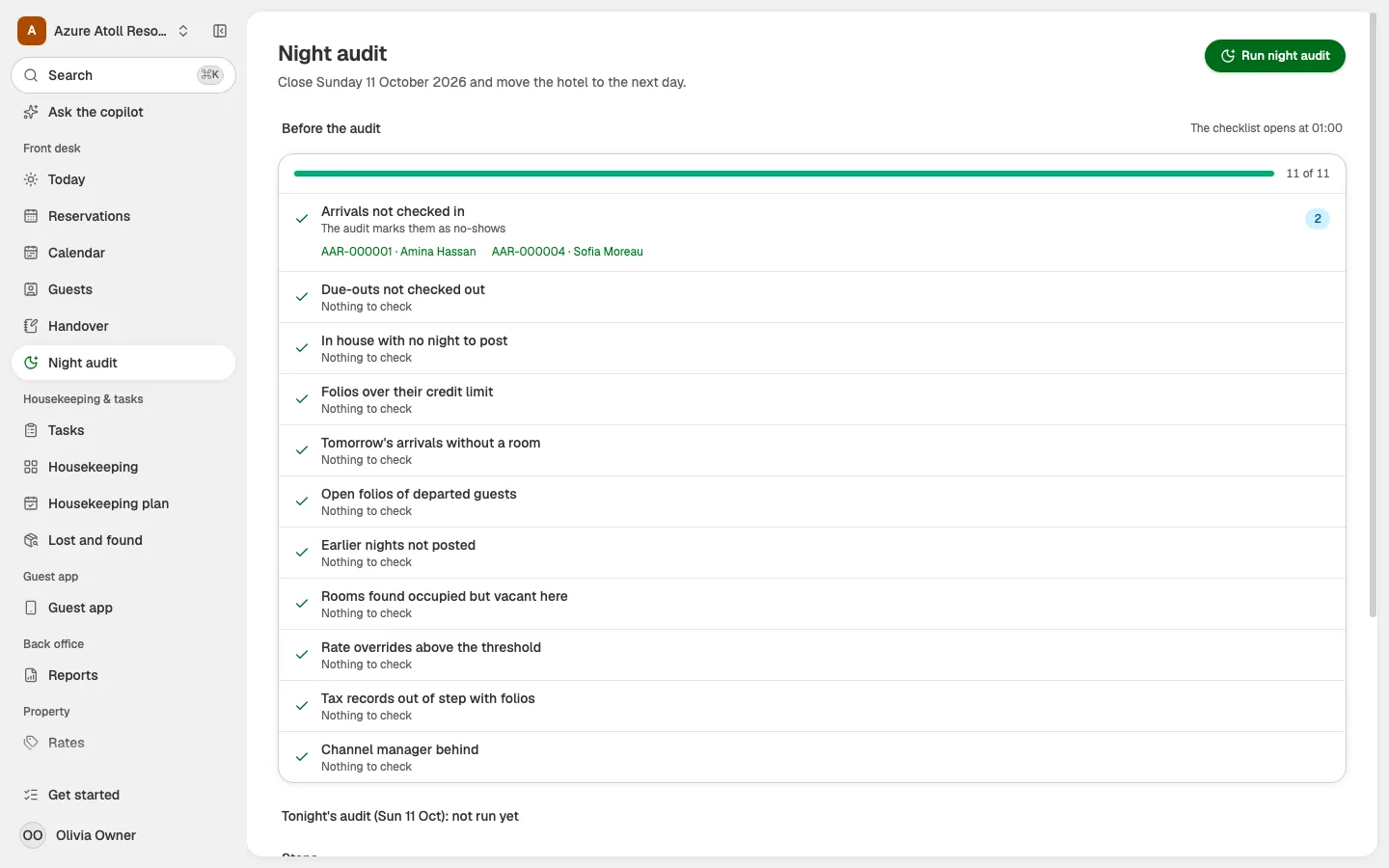
- Night. The night audit posts the night's room charges, checks that the figures add up, marks guests who never arrived as no-shows, and moves the hotel to the next business date.
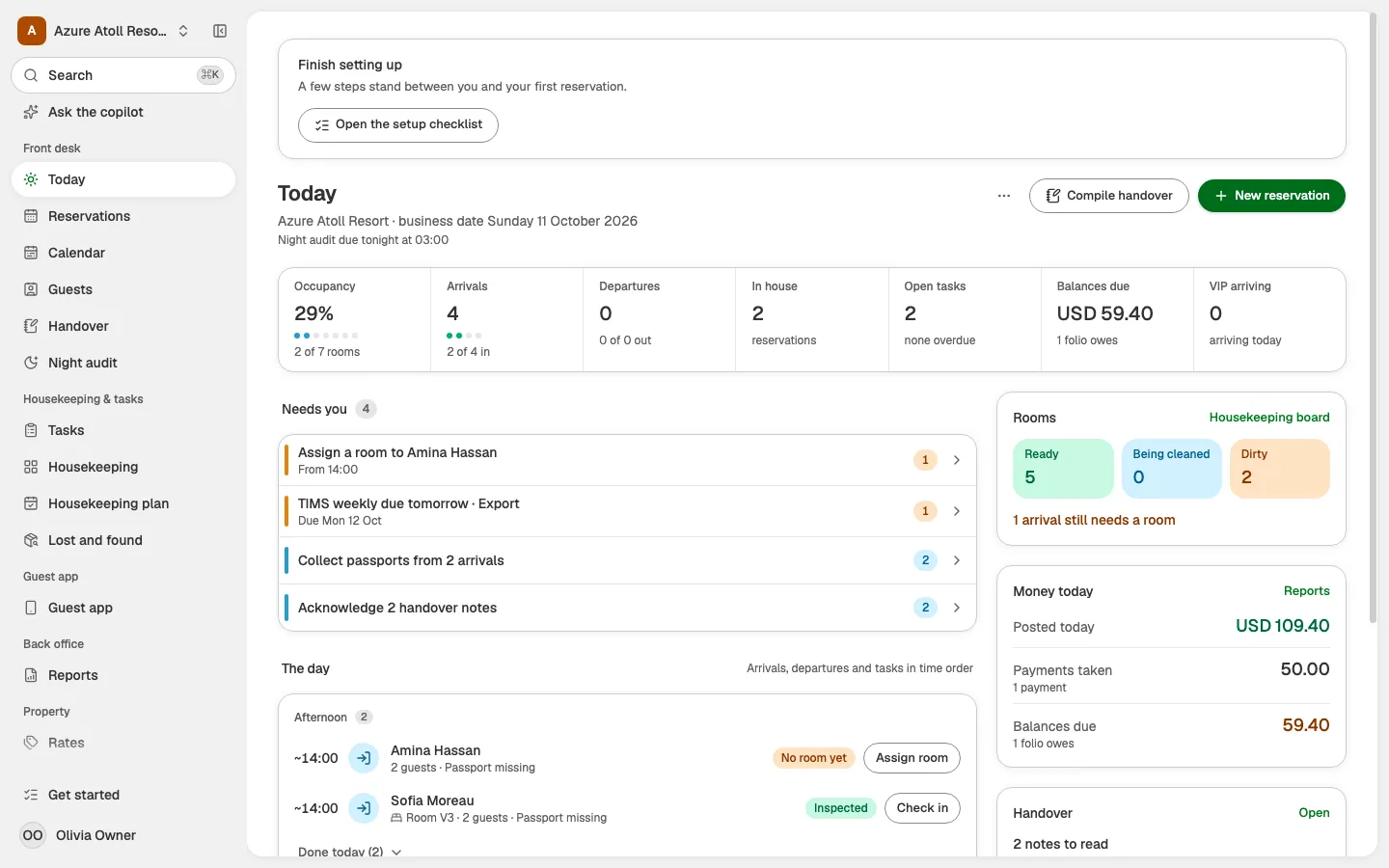
Without a PMS, each of these steps happens in a different place, and the gaps between them are where money and bookings get lost.
The modules of a hotel PMS
Every PMS splits the work into modules. The names vary between vendors, but the jobs are the same.
| Module | What it does | In LobbyMind |
|---|---|---|
| Reservations and calendar | Takes bookings, checks availability night by night, shows every room on a tape chart | Reservations |
| Front desk | Arrivals, departures, check-in and check-out, room assignment | Front desk |
| Rates | Rate plans, seasons, day-of-week prices, restrictions | Rates |
| Folios and invoices | Charges, payments, taxes and invoices for each stay | Folios |
| Night audit | Posts room charges, checks the day, rolls the business date | Folios |
| Housekeeping | Room status from dirty to inspected, cleaning lists, maintenance | Housekeeping |
| Reports | Occupancy, ADR, RevPAR, cashier and tax reports | The Reports screen |
| Guest app | Online check-in, requests and messages from the guest's phone | Guest app |
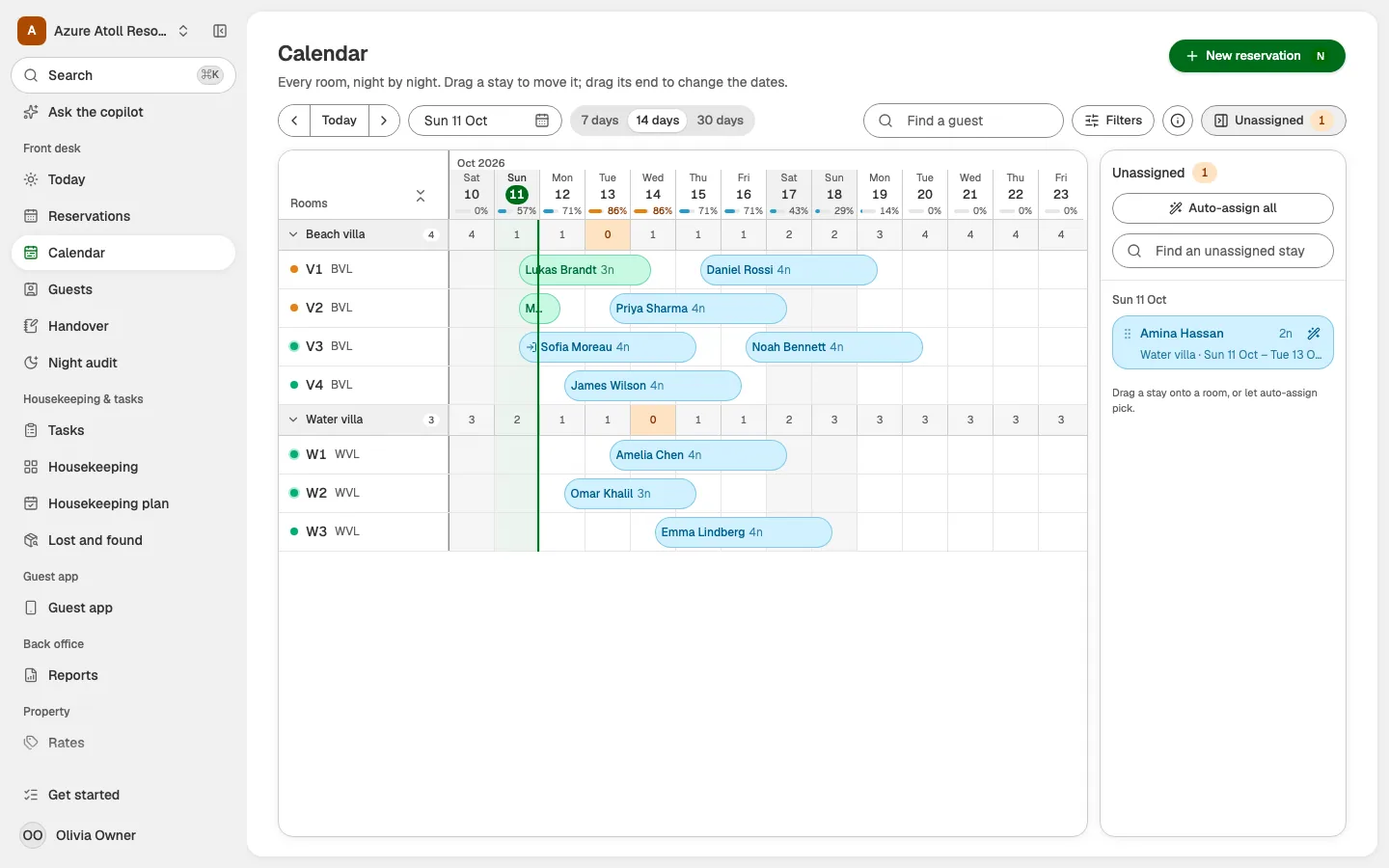
The reservations calendar, often called a tape chart, is the screen most teams live in. Each row is a room and each column is a night, so you see gaps, long stays and arrivals that still need a room at a glance.
The folio is where the money sits. Every charge and payment for a stay is a line on it, and the balance is what the guest owes at check-out. Read more in our entry on the hotel folio.
Cloud or on-premise
An on-premise PMS runs on a computer at the hotel. A cloud PMS runs on the vendor's servers, and your team opens it in a web browser. Most systems sold to small properties today are cloud systems.
| Cloud PMS | On-premise PMS | |
|---|---|---|
| Where it runs | The vendor's servers, opened in a browser | A server or PC at the property |
| Upfront cost | None; a monthly fee | A licence, a server and installation |
| Updates | The vendor ships them for everyone | You install them, often for a fee |
| Working away from the desk | Any phone, tablet or laptop with a browser | Usually only on the property network |
| Backups | The vendor's job | Your job |
| Without internet | Limited or no access, depending on the system | Keeps working on the local network |
The trade-off is control against upkeep. On-premise gives you the machine and the data on site, and leaves you with the backups, the updates and the hardware. Cloud removes that work and depends on your internet line. If your connection drops often, ask each vendor what still works offline. In LobbyMind, housekeeping and shift staff can keep working on their phones offline, and changes sync when the connection comes back.
What a small property needs
A guesthouse with 8 rooms and a 40-room hotel do not need everything a 400-room chain buys. For a small property, these matter most:
- One calendar for every channel. Direct bookings, phone bookings and online travel agencies on one chart, so a room is never sold twice. See overbooking for what happens when it is.
- A folio per stay, with taxes done for you. Charges, payments and the local taxes calculated per line, and an invoice the guest can read.
- Room status on a phone. The person cleaning rooms updates status where they stand, and the desk sees it at once.
- A night audit that takes minutes. It should post room charges, flag what does not add up and leave you with checked numbers in the morning.
- Simple pricing. A flat price per property or per room, with no long contract.
- Your languages. Staff screens and guest messages in the languages your team and guests speak.
A small team rarely has an IT person, so setup should be something the owner can do in an afternoon, with a way to bring in existing bookings. If you are leaving another system, read how switching to LobbyMind works.
How a PMS connects to other systems
A PMS is the centre of the hotel's software, and three connections matter for most properties.
Channel manager. A channel manager sends your prices and free rooms to online travel agencies such as Booking.com, Expedia, Airbnb and Agoda, and brings their bookings back into the PMS. Without one, every OTA booking is typed in by hand and every price change is made on each site. LobbyMind connects to a channel manager from its App store. For what an OTA is and what it costs, see OTA.
Accounting. The PMS knows every charge, payment and tax. Your accountant needs those figures in the books. A connection to accounting software sends invoices, payments and expenses across, so nobody copies totals from one screen to another. LobbyMind sends them to QuickBooks Online and Zoho Books, as described on the accounting page.
Guest app. Guests can check in, see property information and ask for things from their own phone, through a link or a QR code, with no app to install. Requests land with the staff who handle them. See the guest app.
How to choose a hotel PMS
- Write down your day. List the jobs your team does from morning to night, and which ones take the most time today.
- Test it with your own rooms. Ask for a demo or a trial and set up your real room types, rates and a week of bookings. A demo with someone else's hotel hides the gaps.
- Check the connections. Does it reach your OTAs through a channel manager? Does it send figures to your accounting software? Does it take payments in your country?
- Check taxes and invoices. Your country's taxes, invoice rules and statutory reports have to come out right without manual fixes.
- Ask about your data. Can you export your reservations and guests if you leave? Can it import from the system you use now?
- Compare the full price. Count the monthly fee, per-room charges, add-ons such as a booking engine, and payment fees.
- Look at the night audit. Ask the vendor to run one in front of you. It shows how the system treats money.
To check your own figures before you compare systems, try the RevPAR calculator. When you are ready to see LobbyMind with your property in mind, compare the plans and pricing or book a demo.